Case study: Linux and Networking Lab
Overview
This is the groundwork behind my other projects: the Linux and networking skills I use every day to run a server and to work out why something is not working. I have separated what I can show evidence for from what I practised in lab settings, so you can judge each claim.
Problem
Networking stays abstract until a packet does not go where you expect. I wanted to be able to answer concrete questions on my own server: what traffic is actually on the wire, what is really reachable from outside, and what is using the bandwidth.
My role
Solo, self-directed practice. Where I ran commands against the live server, the screenshots are real output. Lab exercises are labelled as lab exercises.
Environment
The live server is an Ubuntu VPS behind UFW, running Nginx, Docker, Asterisk and several web apps. The DNS and DHCP exercises were done in lab environments, not on the production box.
Implementation: what I did and what I can show
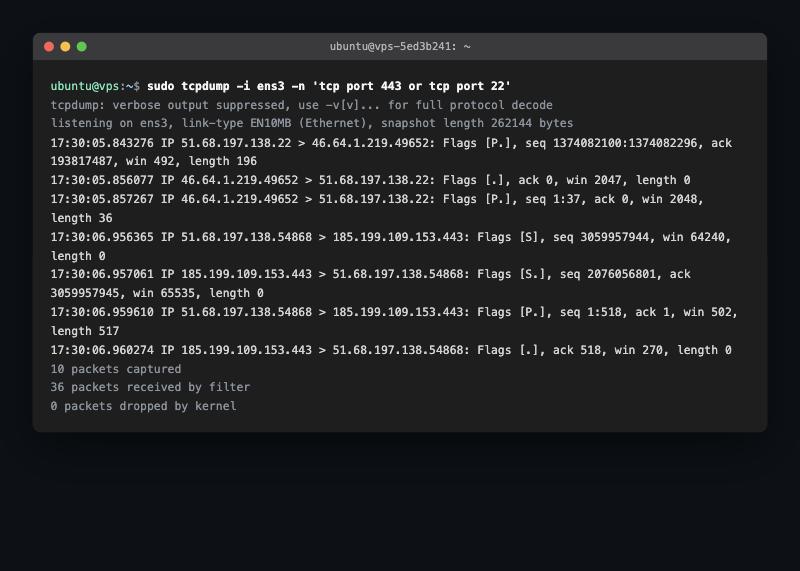
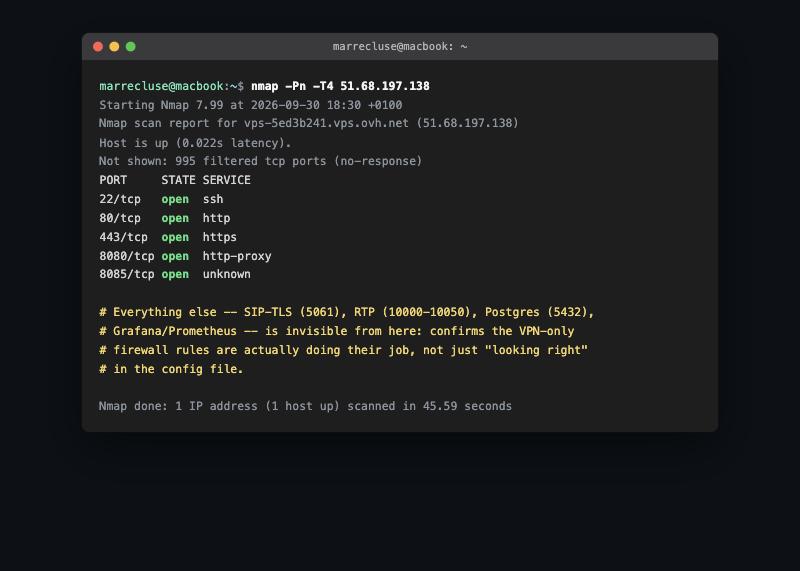
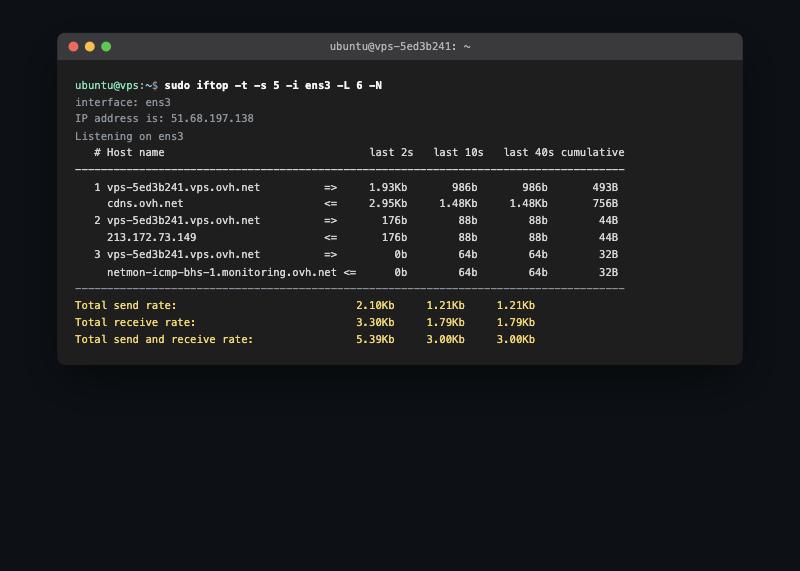
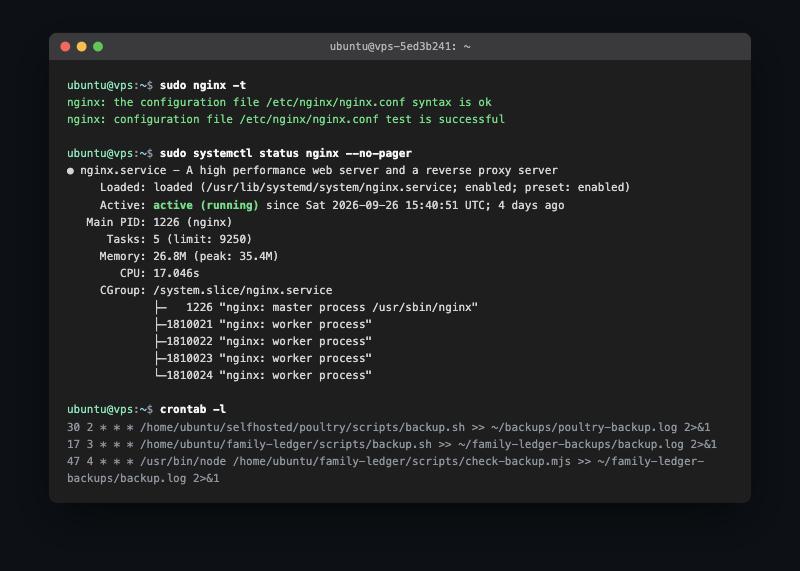
Demonstrated on the live server (screenshots below are real output):
- tcpdump to capture live TCP traffic on the public interface.
- nmap run from outside the server to confirm that only the intended ports are reachable after hardening.
- iftop to watch per-connection bandwidth when the server felt slow.
- systemctl, Nginx and cron to check service health and the scheduled jobs that run my backups, with
rsyncandcronfor backup routines. - grep, find and Docker logs to trace a configuration across the monitoring stack and read a container’s logs.
- UFW, fail2ban and SSH hardening (key-based login) as part of the VOIP and server projects, with the firewall script published in the VOIP repository.
Lab exercises, not deployed infrastructure:
- DNS and DHCP. I configured both in lab environments to understand lease assignment and name resolution. I have not published a reproducible write-up or configuration for these yet, so I am not presenting them as evidence-backed deployments.
Challenges
Where you test from changes the answer. A scan run from the server itself reported services as open that are not reachable from the internet, because it was testing from inside the firewall. Running nmap from a different machine gave the real external picture, so that is the one I use to check my own server.
Testing
The nmap scan is the test: it compares what I intended to expose with what is actually reachable from the internet. I repeated it after hardening changes.
Results
A set of tools I can use to diagnose network and service problems on a real server, and a habit of confirming changes from the outside. This is practice and troubleshooting skill, not a product with users, so I do not attach metrics to it.
Lessons learned
- Measure from the right vantage point.
- Confirm a firewall change with an external scan, not only by reading the rules.
- Keep notes on what you ran and what it showed, because that is what turns practice into something you can demonstrate.
Read the networking tools write-up · Linux commands I rely on