Getting Hands-On with Networking Tools
Getting Hands-On with Networking Tools
Hey there!
Networking is one of those subjects that stays abstract until you actually break something and have to figure out why packets aren’t going where you expect. This year I moved from “I know the OSI model” to “I can actually troubleshoot a network.”
Services I’ve configured
- DHCP and DNS in lab environments: understanding lease assignment and resolution by configuring it myself, not just reading about it.
- SSH: not just using it, but hardening it: key-based auth, disabling password login where it matters, and understanding what’s actually happening in the handshake.
Tools I reach for when something’s wrong
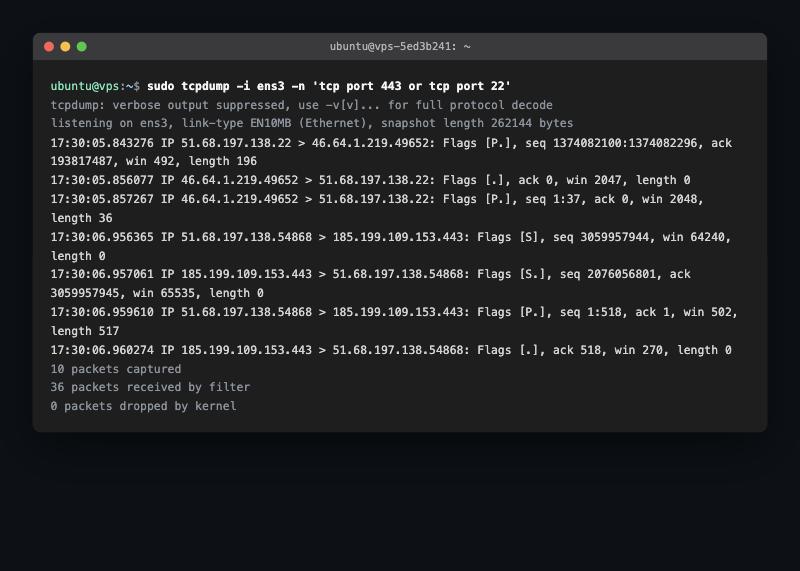
- tcpdump: capturing traffic at the packet level when something’s misbehaving and the application logs aren’t telling the full story.
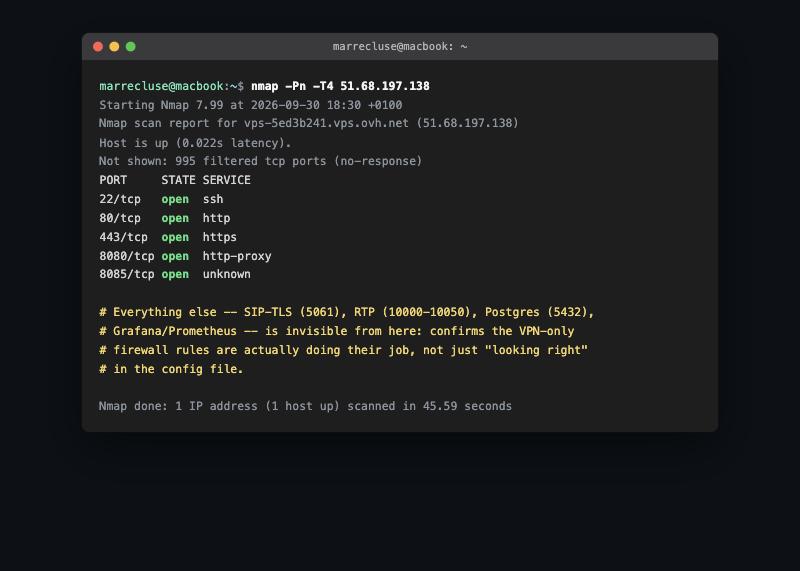
- nmap: mapping what’s actually open and reachable on a host, especially useful after hardening a server to confirm the firewall rules did what I intended.
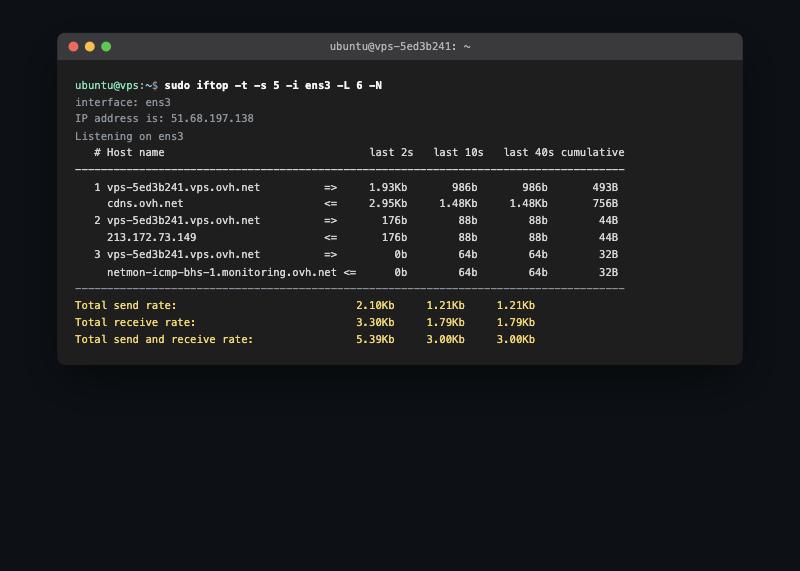
- iftop: watching bandwidth usage in real time when a server feels slow and I need to know if it’s actually network-bound.
Why this matters for where I’m headed
Intrusion detection and network security only make sense once you understand what normal traffic actually looks like, which is exactly what this hands-on time has been for. Every hour spent with tcpdump and nmap on my own infrastructure has been directly useful for reasoning about what a detection system, or a hardening pass on a production box, should actually be looking for.
Happy troubleshooting! 🚀
This post is licensed under
CC BY 4.0
by the author.